Where to buy
Need advice? Our highly trained dealers are happy to help with questions, small or large.
Find a dealer near you
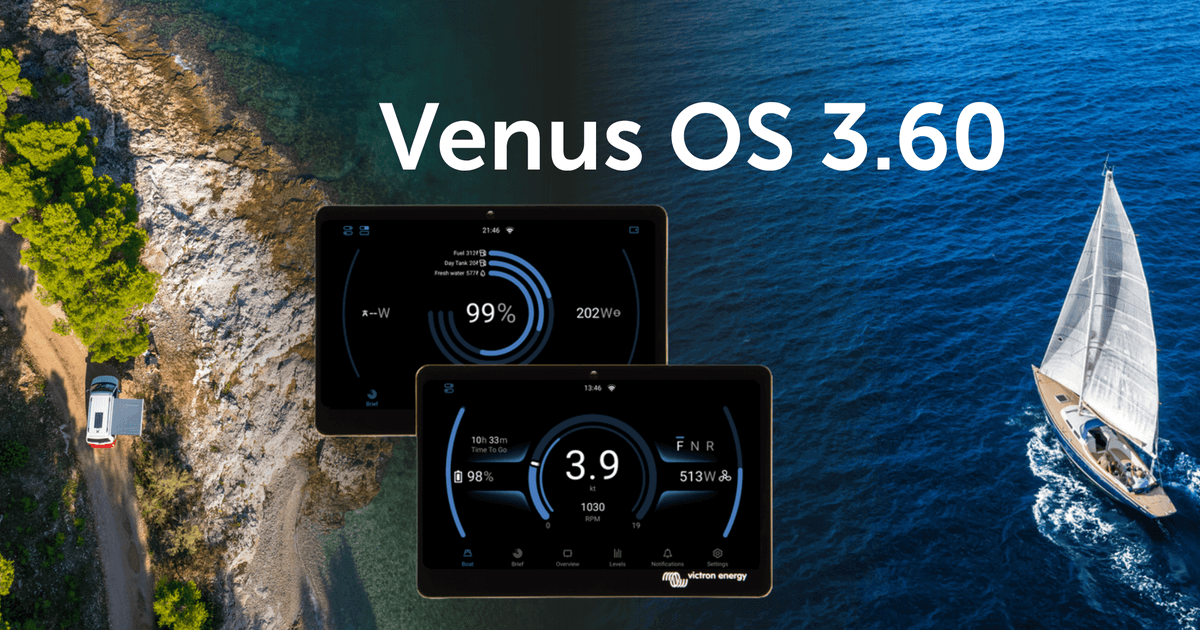
Introducing Venus OS 3.60
Switch pane, boat mode, and other improvements
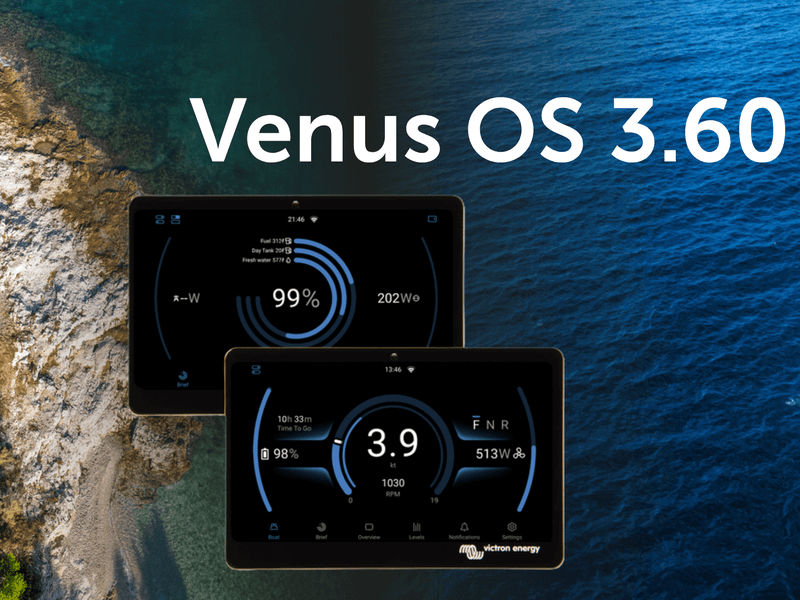
Venus OS for Victron GX devices has been updated today to v3.60 with exciting new user interface features, some much needed fixes and a few great new features under the hood. Before we dive into this blog post, take a moment to look through this slide deck for a visual walkthrough of what’s new.
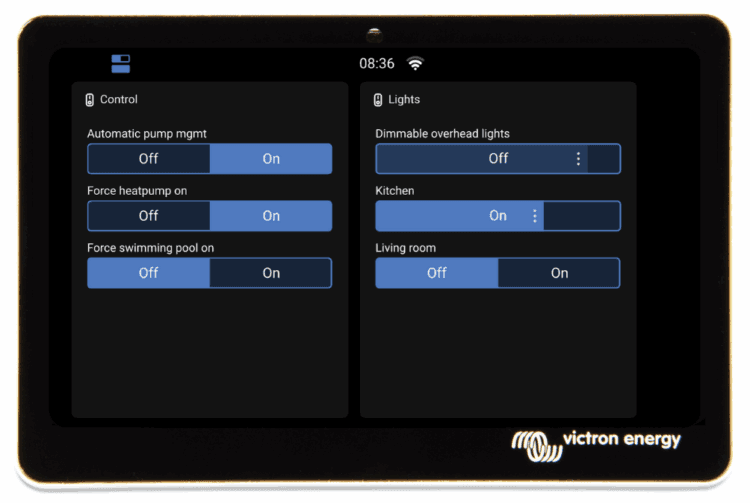
The new switch pane
The new switch pane offers quick access to switching functions in vehicles, boats, or stationary systems, either via touchscreen or through VRM.
A button at the top left of the New UI opens the pane, giving users fast access to controls for loads and key systems.
Currently, the Energy Solutions DC4 four-channel SmartSwitch is supported. Devices from other digital switching partners will follow soon.
This release includes a significant update to the Marine MFD HTML5 App, greatly improving display quality on high-definition MFDs such as the Garmin 9000. A night mode has also been introduced, applying a soft red overlay that’s easier on the eyes in low-light conditions.
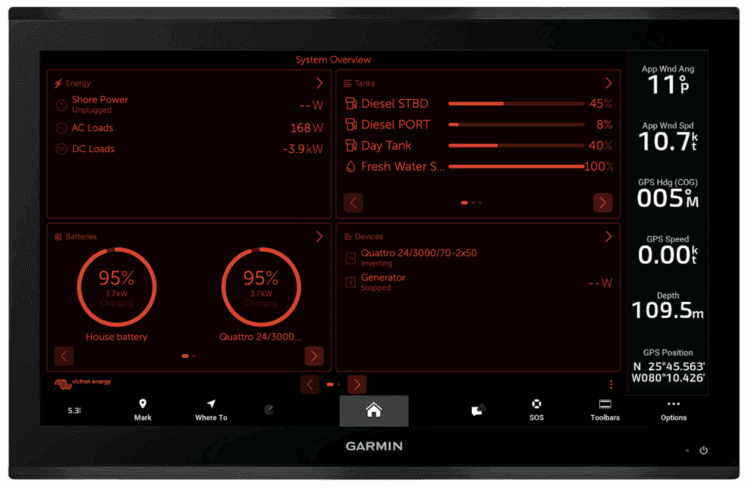
The new night mode in the updated high-resolution layout on a Garmin 9000.
This update also introduces a dedicated Electric Boat page, accessible via a new icon at the bottom of the New UI. It’s designed for small craft with electric propulsion systems and displays key information such as speed, RPM, electric motor power consumption, and battery state of charge.
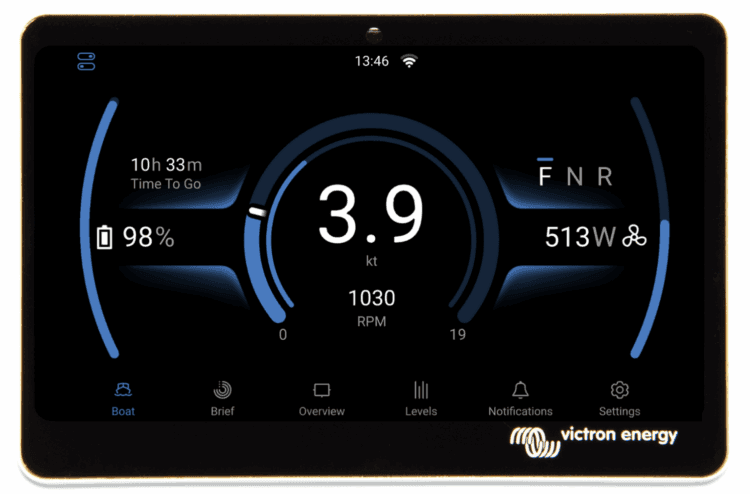
The new electric boat page
Lastly, the Brief Page in the UI now allows individual tanks to be selected for display as ring gauges, rather than being limited to selection by tank type. This gives users—particularly in the marine and camper sectors—the flexibility to, for example, show total fuel alongside a day tank for quick reference to key values.
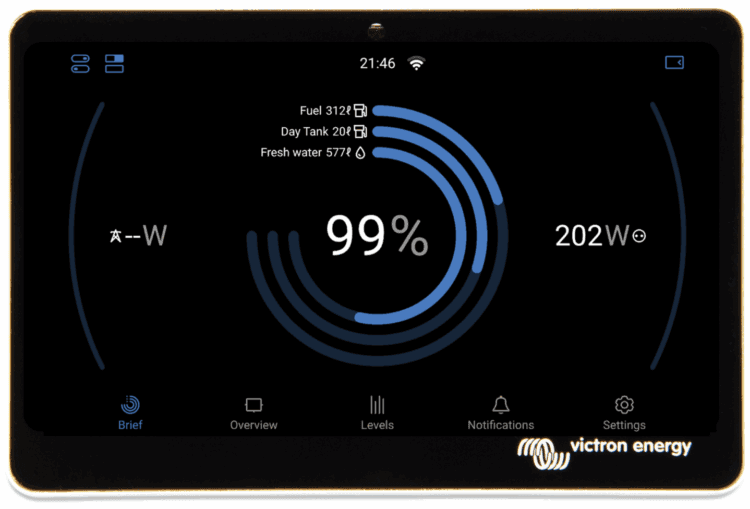
Updated brief page displaying tank information
This update to the GX device firmware introduces a backup and restore feature for VE.Bus configuration and settings. It allows a multi-unit system to be quickly restored after the failure of a single unit. The restore process automatically identifies the replacement device and applies the correct configuration.
This feature also makes it possible to quickly switch between different configurations in applications where regular configuration changes are needed.
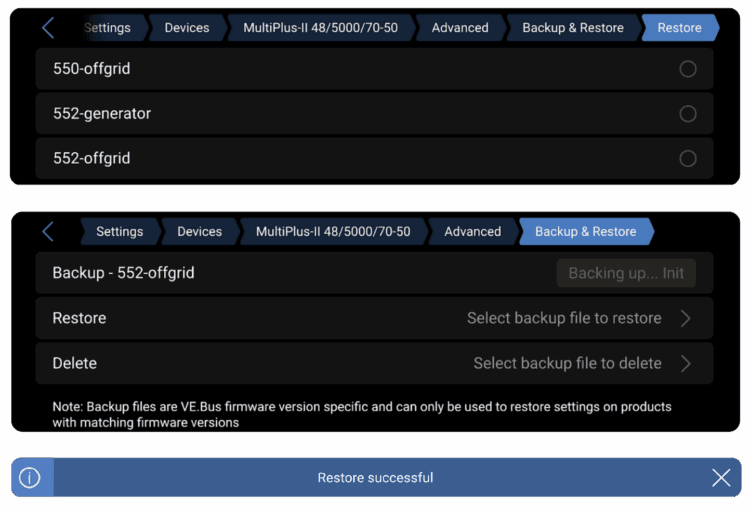
Restore and backup tabs
Support for automatic DVCC configuration has now been added for Sunwoda and Soluna batteries. Integration testing is complete, and both are now officially compatible. You can find more details on the battery compatibility page.
This release also introduces a new feature that will be especially appreciated by campervan owners spending winters in the mountains or boats sailing in high latitudes. When used with Victron NG batteries, the GX device can now control a relay to manage battery heating in cold conditions and cooling if needed in hot environments.
To use this feature, your system needs a CAN-connected battery and a relay configured for temperature control, along with heating pads or cooling equipment installed. Please note that it requires the Lynx Smart BMS NG, and isn’t compatible with the Small BMS NG or VE.Bus BMS NG.
The feature also works with other managed batteries, as long as they send cell temperature data to the GX device.
Support for managed PV inverters on GX devices has been expanded to include zero feed-in and dynamic ESS power control on any PV inverter that supports Sunspec™ information models 123 or 704. Equipment from SMA, SolarEdge, Kostal and Enphase has already been confirmed, and we encourage users to test other inverters that state support for Sunspec™ 123 or 704 in their firmware.
The GX device was launched well over a decade ago, and since then the range of features and supported devices has grown rapidly. The settings menu was due for an update to improve navigation and make better use of the higher-resolution layout in the New UI.
Alongside new high-level categories, the updated menu now includes ‘breadcrumbs’ at the top of the screen, helping users see where they are and easily navigate back to a specific section with a single tap.
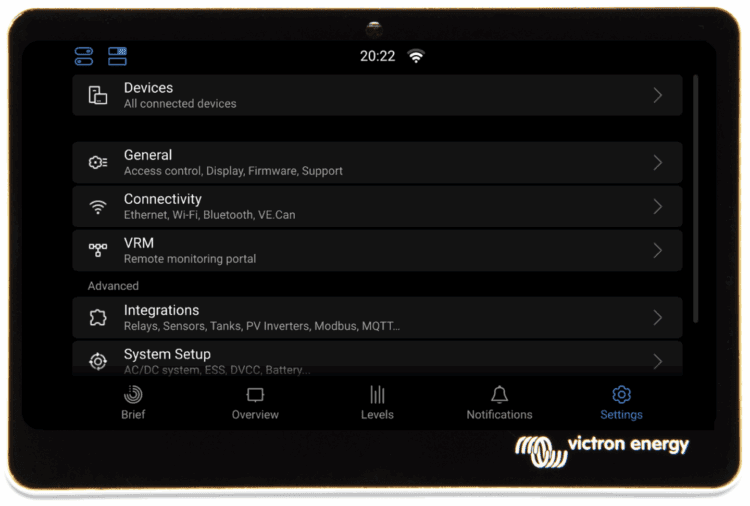
Settings menu
A new ‘Modification Checks’ page has been added under Settings > General, offering a quick overview of the software status on a GX device. More importantly, it gives installers and distributors a clear indication of whether a system has been modified, which can be helpful when diagnosing or providing support.
If the startup configuration has been changed, for example to load a custom battery driver, or if an SSH key has been added, this will be shown at a glance. The page also allows users to disable modifications, reinstall the latest firmware, or run an online update, all from one place.
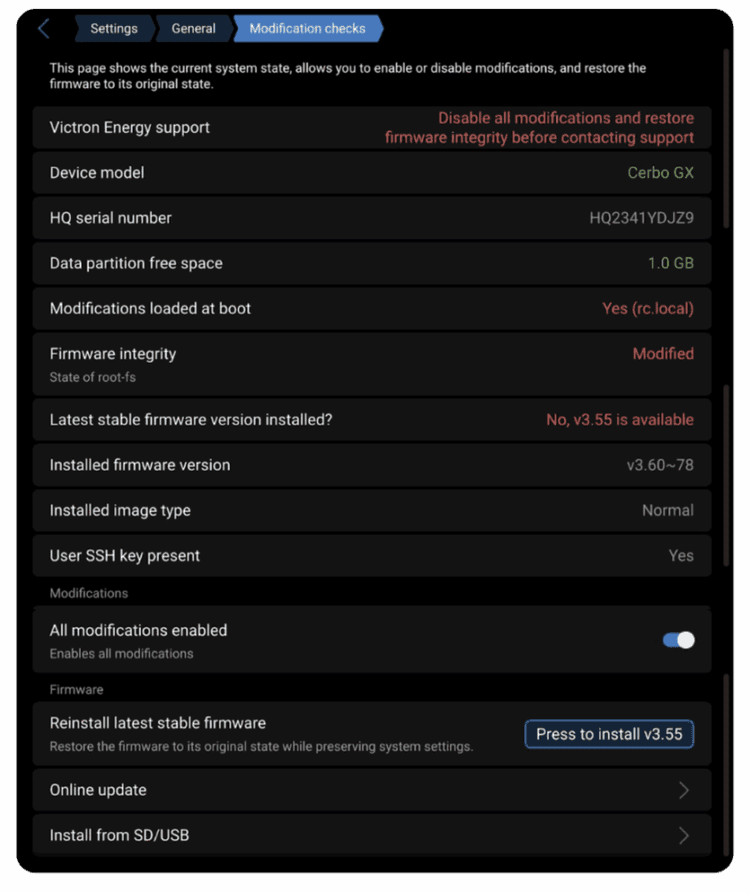
Modification checks page
This release brings exciting new updates to Node-RED and support for Victron’s new GX IO-Extender 150.
The new version of Victron’s Node-RED support introduces ‘virtual devices’, making it possible to create virtual equivalents of the following devices on the GX:
Virtual devices allow data from external systems, such as those using MQTT or Modbus-TCP, to be made available within the GX device and on the VRM Portal. This means the information appears just like data from a fully supported Victron product. For example, it can be used to read or import data from a custom or specialised tank monitor.
Another useful update is the ability to control the relay on an MPPT via Node-RED. This version also reduces CPU usage by communicating more efficiently with the GX device.
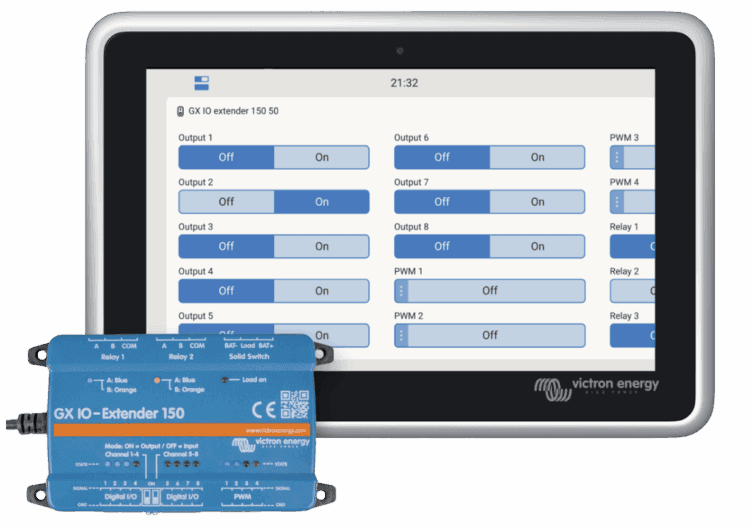
GX IO – Extender 150
The new GX IO-Extender 150 is introduced with this release to give integrators more options to control and integrate devices and systems. It provides the following additional USB-connected I/O to GX devices:
This release brings important fixes to the Cerbo GX MK2 and the GX LTE, which have fixes to the stability of VE.Can port 2 and use with IPv6 respectively.
Other improvements include:
You can see the information on how to install the firmware in your GX Device manual. Quick links to the relevant pages can be found here: Ekrano GX, Cerbo GX, Color Control GX and for the Venus GX.
We’ve had a huge amount of support from our testing community in preparing this update for release, and I would like to thank everyone, both developers and testers, for helping us get this exciting release out!
For more information, you can see the slide show here.
Enjoy this new version,
Matthijs Vader
Need advice? Our highly trained dealers are happy to help with questions, small or large.
Find a dealer near you
Check our support resources or contact your original dealer for dedicated support, repairs or warranty requests.
Support
Read more about our industry-leading 5-year standard warranty and global repair service.
Warranty


©Victron Energy 2026
